Quick picks
Makita XDT13Z Impact Driver, Tool Only
Consider for: Owners of compatible Makita batteries and charger
Main limitation: Battery and charger must be supplied separately
View on Amazon.com (opens in a new tab)Search on Amazon.ca (opens in a new tab)Read product details ↓Makita XDT19Z 4-Speed Impact Driver, Tool Only
Consider for: Investigating specific assist-mode requirements
Main limitation: Manufacturer lists XDT20Z as a replacement; check current model and seller terms
View on Amazon.com (opens in a new tab)Search on Amazon.ca (opens in a new tab)Read product details ↓Compare the documented specifications
| What matters | Makita XDT13Z Impact Driver, Tool Only | Makita XDT19Z 4-Speed Impact Driver, Tool Only |
|---|---|---|
| Best for | Owners of compatible Makita batteries and charger | Investigating specific assist-mode requirements |
| Purchase format | Tool only | Not verified |
| Power selections | Not verified | 4 |
| Amazon | View on Amazon.com (opens in a new tab)Search on Amazon.ca (opens in a new tab) | View on Amazon.com (opens in a new tab)Search on Amazon.ca (opens in a new tab) |
One power setting does not mean one fixed speed
A driver can have variable trigger speed without offering selectable power ranges or application modes. That distinction matters when a listing calls an impact driver single-speed. The useful buying question is whether you want additional selectable controls, not whether the trigger can vary the speed at all.
This comparison uses Makita XDT13Z and XDT19Z as documented examples with identified US Amazon listings. Both are tool-only purchases in the 18V LXT system. FindItWise has not physically tested them, and we do not rank their noise, comfort, fastening accuracy or value at a current price.
What the manufacturer records establish
The XDT13Z specifications list one speed-power selection and a variable-speed range of 0–3,400 RPM. It therefore illustrates a simpler control arrangement, rather than a tool that must always run at its maximum speed.
Makita’s XDT19T documentation identifies XDT19Z as the driver supplied in that kit. Its driver description lists four selectable speed ranges, Assist Mode, two Tightening Modes and reverse auto-stop. We use this source for the driver controls, not to claim that the batteries and charger in the T kit come with the bare Z tool.
| Decision | XDT13Z | XDT19Z |
|---|---|---|
| Power selections | One | Four |
| Trigger speed | Variable | Variable within selected ranges |
| Application controls discussed here | Basic variable-speed arrangement | Assist, Tightening and reverse auto-stop modes |
| Verified US offer | Tool only | Tool only |
When simpler controls are enough to investigate
Consider the XDT13Z arrangement if you want fewer settings to select and your intended work does not call for a documented assist function. That is a preference about the interface, not evidence that beginners will achieve better results with it.
Before paying for another driver, describe a situation in which your current controls get in the way. If you cannot identify one, more modes may not solve a real problem. If you can, use that specific task to evaluate the available settings instead of treating the count as a quality score.
When additional modes deserve attention
Makita describes the XDT19 Assist Mode as beginning at low speed until tightening starts. Its two Tightening Modes address self-drilling screws. Reverse auto-stop is described as stopping rotation and impact after a fastener is loosened adequately. These are intended behaviors from the manufacturer; they are not FindItWise measurements or a guarantee against damaged fasteners.
That makes the multi-mode arrangement worth investigating when one of those functions matches repeated work you actually do. Read the operating instructions for the selected mode before use. Similar names across other models do not establish identical behavior, so do not transfer these descriptions to another driver without checking its documentation.
What the settings cannot decide for you
A mode count does not establish how the tool balances in your hand, whether it fits a confined space, or which fastener and accessory suit the work. Nor does a listed maximum speed prove a faster complete job. We omit a performance winner because we have no common test results for these two tools.
If you are choosing the tool type rather than its controls, start with drill versus impact driver. If your question is whether you need a battery and charger, our impact-driver package guide addresses that separate purchase decision.
Check model status and the exact seller offer
The XDT19Z manufacturer page lists XDT20Z as a replacement model. This article explains the documented XDT19Z controls; it does not present XDT19Z as the latest model or establish what the replacement offers. Check current manufacturer information and the seller’s warranty terms before buying an older listing.
The US Amazon titles were matched to XDT13Z and XDT19Z tool-only offers. That confirms identity rather than current stock, seller authenticity, price, warranty eligibility or delivery. Canadian pages could not be verified in this run and remain labelled searches. A matching-looking US and Canadian address is not proof of the same offer.
Choose the simpler arrangement when fewer selectable settings meet your requirements. Investigate the multi-mode arrangement when a named function answers a specific need, and verify the exact model rather than purchasing on the word advanced alone.
Makita · Model XDT13Z
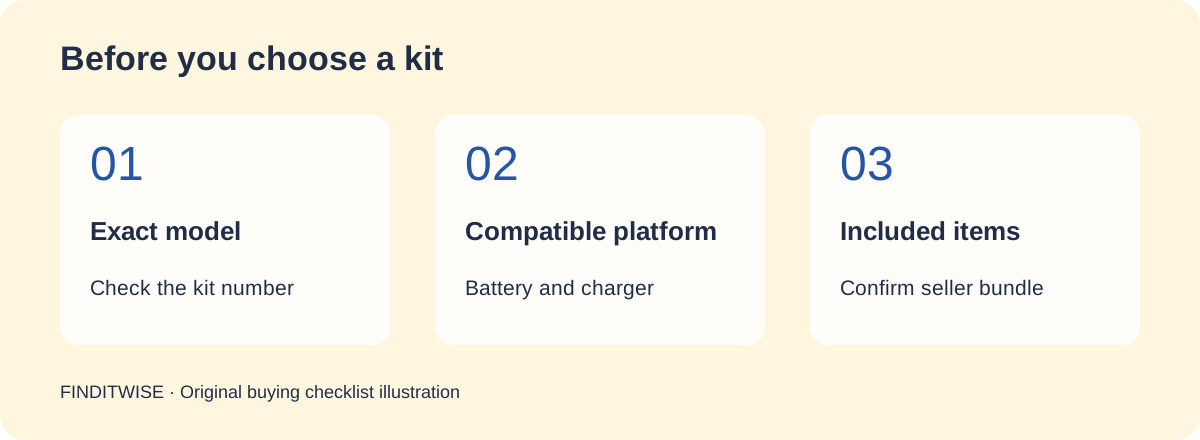
View on Amazon.com (opens in a new tab)Search on Amazon.ca (opens in a new tab)Confirm the seller’s included items before purchasing.
Makita XDT13Z Impact Driver, Tool Only
Tool-only version of the driver supplied in XDT131.
| Purchase format | Tool only |
|---|
Reasons to consider
- Avoids another complete kit purchase
Trade-offs
- Battery and charger must be supplied separately
Specifications: Makita XDT131 kit contentsMakita XDT13Z tool-only documentationBosch GDR18V-1400 driver manual · Checked 2026-10-13
Makita · Model XDT19Z
View on Amazon.com (opens in a new tab)Search on Amazon.ca (opens in a new tab)Confirm the seller’s included items before purchasing.
Makita XDT19Z 4-Speed Impact Driver, Tool Only
Four-speed driver with documented application modes; manufacturer lists a replacement model.
| Power selections | 4 |
|---|
Reasons to consider
- Several selectable control modes documented
Trade-offs
- Manufacturer lists XDT20Z as a replacement; check current model and seller terms
Specifications: Makita XDT13Z control specificationsMakita XDT19T driver controls and included XDT19Z identityMakita XDT19Z identity and replacement-model notice · Checked 2026-10-19
Common questions
Does one power selection mean fixed trigger speed?
No. Makita lists variable speed for XDT13Z alongside one speed-power selection.
Does the XDT19Z offer include the XDT19T kit equipment?
The verified XDT19Z offer is tool only. XDT19T is a separate kit; its documentation identifies the included driver but does not change the bare-tool package.
Sources & references
- Makita XDT13Z control specifications — accessed October 19, 2026
- Makita XDT19T driver controls and included XDT19Z identity — accessed October 19, 2026
- Makita XDT19Z identity and replacement-model notice — accessed October 19, 2026